Employee Web Services (EWS) - Introduction
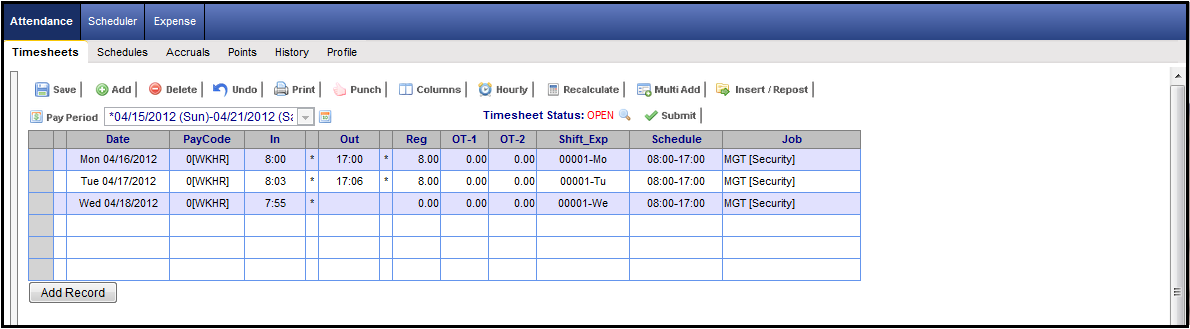
Employee Web Services (EWS) enables employees to view their time and attendance information, as well as their HR related personal information (continued below).
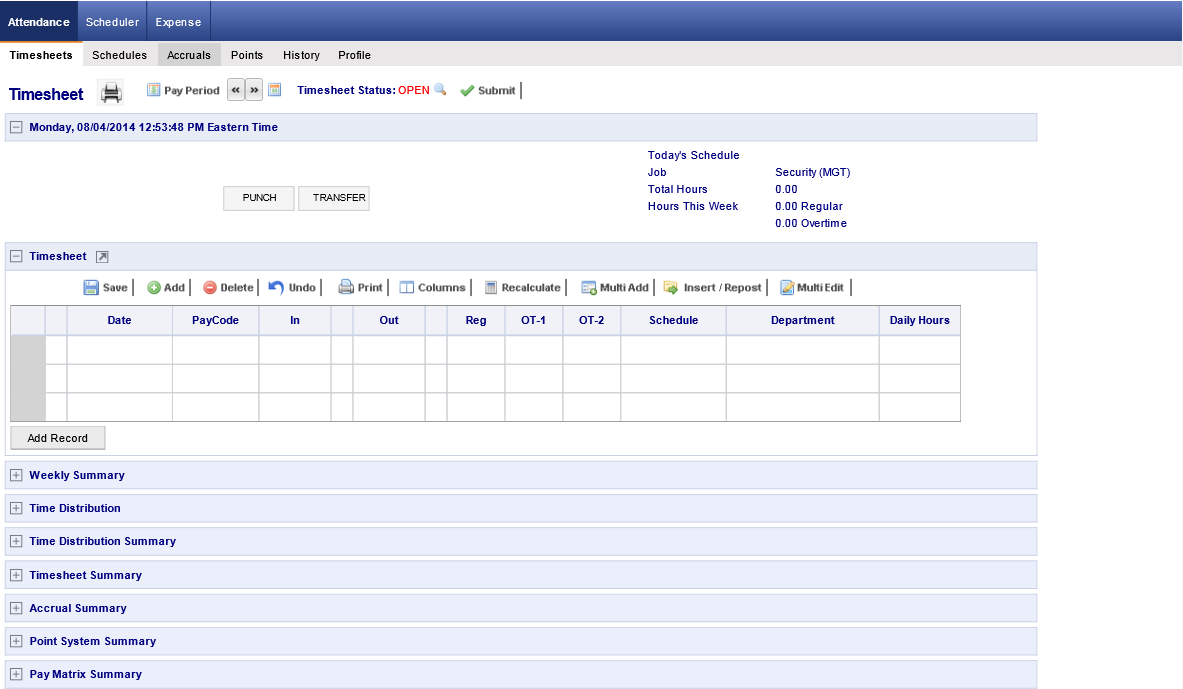
The login screen for NOVAtimeAnywhere™ provides a general login function, plus a fully functional time punch and transfer operations, without logging into the Employee Web Services.
Using Help
To use the NOVAtime 4000 help system to review system features, simply select the help topic from the list on the left and the information related to that topic page will be displayed. On any help page that has a full screen sample of the various pages available in EWS, you can simply click on the category or page name on the same screen and the help system will automatically navigate to that page's help topic page.
For example: Click on the "Accruals" page in the sample above and the help system will automatically advance to the History topic page associated with that category. Click on the "Scheduler" category (just to the right of Attendance) in the sample above and the help system will automatically advance to the Requests topic page associated with that category.
Employee Web Services (EWS)
Employees can:
Punch IN and OUT or enter their timesheet data from their PC via intranet or Internet
View their timesheets
View actual hours summarized by pay codes and Group
View actual work hours with IN / OUT time, grouped by regular hour, OT1, OT2, etc.
View earnings and deductions
View week / pay period total hours
Submit their timesheets
Check their work schedules
View daily work schedule in a calendar view:
By Month, or Pay Period
View their total scheduled work hours for each day of the week. Two views are provided:
Schedule Details - Lists number of hours scheduled per day of the week for each Group (e.g. Job)
Schedule Summary - Lists number of hours scheduled, available, and unscheduled.
Look up benefit accrual information, such as vacation hours, sick hours, comp-time hours, etc.
View their complete attendance history - weekly, monthly & yearly (Timecard Report). For each pay period, you can
View schedule
View accrual (view their available vacation time, sick time, plus NUMEROUS CUSTOMIZABLE PAY CODES)
Optional – Sign their timesheet
View and update their personal Profile
Customize their EWS User Preferences
Click here to find out more information on the Login Screen for the Employee Web Serivces.